Lifestyle Entertainment
Your Phone Is Now Your FVE TV Remote
FVE viewers can now control the TV page with their phones — pair once with a QR code or a six-digit code, then change channels, set the volume and move through the guide from the couch. The remote is free, and it also runs our sister station, HVE.
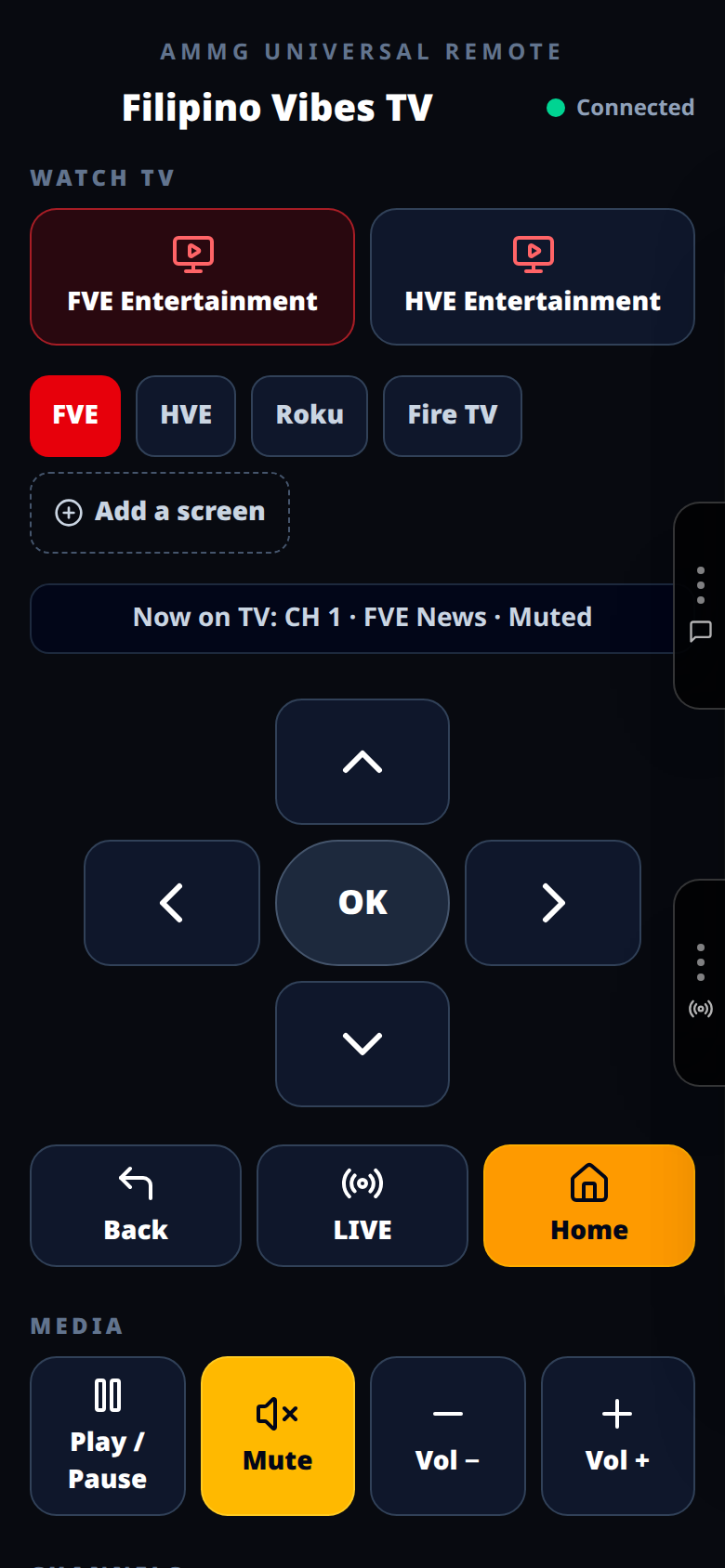
Filipino Vibes Entertainment has a new way to watch: your phone is now your TV remote. It is free, and it works right in your phone's browser — nothing to download and nothing to pay.
Open the FVE TV page on your television or computer and tap the amber Phone Remote button. Your TV shows a pairing card with two ways in — a QR code to scan with your phone camera, or a six-digit code to type at filipinovibes.pages.dev/remote. Both do the same thing; pick the one you like.
Once your phone is paired, it works like the remote in your hand. Change channels, turn the volume up or down, mute, pause, and open the channel guide — then move through the guide with the arrow pad and choose what to watch with OK. The full channel list is on the remote too, one tap away.
The same remote also runs our sister station, Haitian Vibes Entertainment. Tap the station tiles at the top of the remote and your TV jumps between the two stations.
Every viewer gets it free, on any phone. Open the FVE TV page tonight and try it from the couch.
Reporting based on: Filipino Vibes Entertainment. The facts come from the credited reporting; the words are our desk’s own.
Read the original reporting